
Every unanswered YouTube comment costs brands money. You can fix that and get paid.
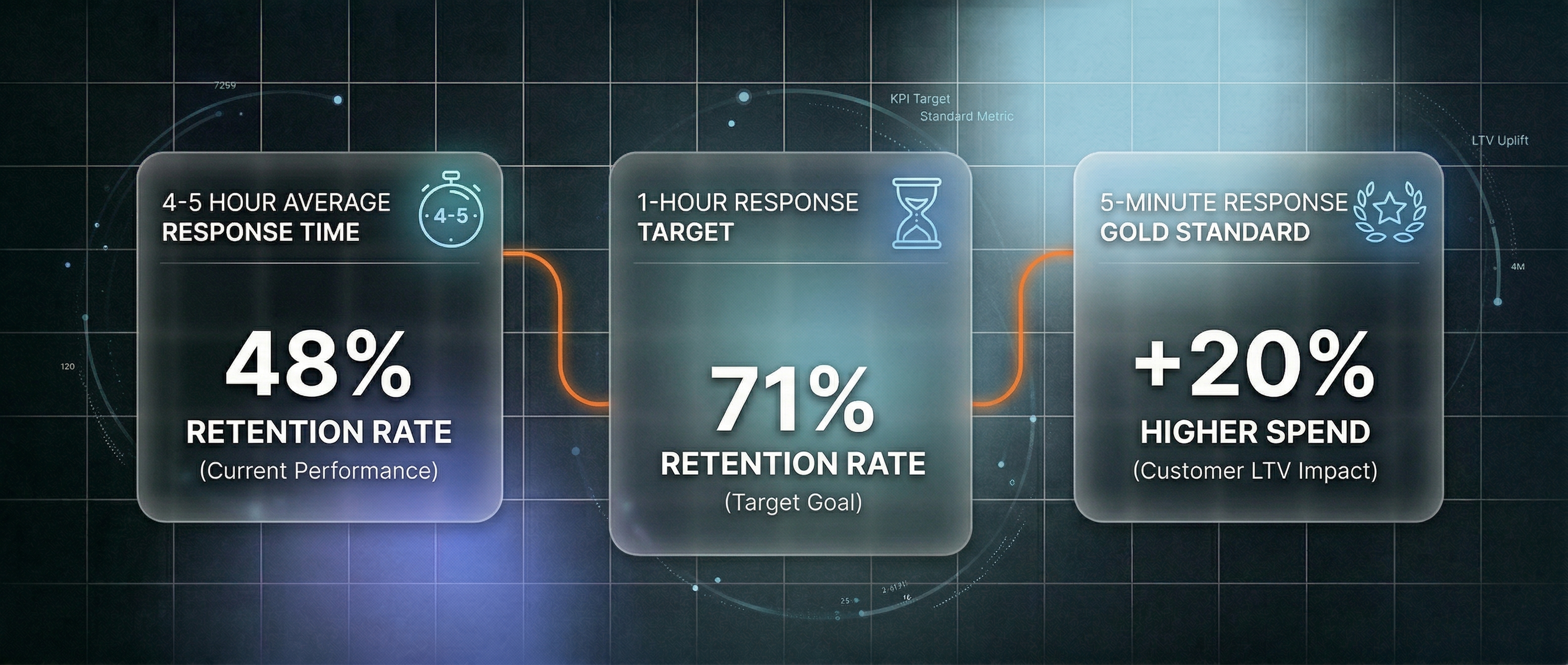
Brands lose customers when YouTube comments go unanswered. 72% of consumers expect a response within 30 minutes, but most brands take 4-5 hours. That gap costs real money: slow responses drive a 15% increase in customer churn and kill repeat purchases. If you can reply to customer questions in YouTube comments quickly and professionally, brands will pay you $1,000-$5,000 per month to do it.
Quick Facts
- 72% of customers expect a response within 30 minutes (eDesk), yet industry averages are 4-5 hours
- $40K-$85K/year: Cost of hiring one full-time community manager (Glassdoor)
- 26,861 YouTube support jobs are currently open on Indeed
- Brands with sub-1-hour responses achieve 71% customer retention vs. 48% for 24-hour response times (eDesk)
Earn as a YouTube Customer Support Specialist
YouTube-focused customer support is a specialized role commanding premium pay. A general customer support specialist earns $48,931-$60,330 per year (Glassdoor, PayScale). But YouTube-specific roles pay more: content moderators earn $42K-$65K, while community managers hit $55K-$85K annually, with some positions at YouTube reaching $120K (Comparably).
As a freelance specialist managing multiple brand channels, the math shifts dramatically. One brand might pay $200-$400/month for comment management. Two brands: $400-$800. Five brands: $1,000-$2,000 per month. Experienced specialists handling 10+ channels earn $3,000-$5,000+ monthly, all while working part-time hours. The secret: you're not replacing one employee. You're replacing the work of 5-10 underpaid content moderators at outsourcing firms paying just $18-$24/hour (Indeed).
The role is straightforward: you respond to customer questions on YouTube comments, triage complaints, engage fans, and keep negative comments from damaging a brand's reputation. With the right tools, you can handle 50-100 comments per day in 30-60 minutes of focused work.
Why It Works
The demand is massive and growing. LinkedIn named Social Media Manager one of the 25 fastest-growing roles in the U.S., and the Bureau of Labor Statistics projects 5-6% job growth through 2034. Indeed lists 26,861 YouTube support jobs right now. Brands are actively hiring.
Brands are losing money by not responding. Sprout Social reports that 73% of consumers will switch to a competitor if a brand ignores their social message. Gartner research shows that failure to respond on social drives a 15% increase in customer churn. YouTube's own algorithm now factors in comment sentiment when recommending videos. Brands that reply to comments see 25-40% higher engagement on subsequent videos. For e-commerce companies, every minute counts: customers expect replies within 30 minutes and will spend 20% more if they get one within 5 minutes (Influencer Marketing Hub).
The tooling gap is wide open. Major CRMs like Zendesk, HubSpot, and Intercom barely address YouTube comments. Enterprise solutions like Sprout Social cost $199-$399 per seat per month. Brands are desperate for affordable, fast, AI-powered comment management. This is where you come in.

What You Need
Getting started requires minimal investment:
- Replai.pro Browser Extension (free to install for Chrome or Firefox, links on the right)
- A free API key from Groq (takes 2 minutes to generate)
- Google Chrome or Firefox (you probably have this)
- 30-60 minutes per day per brand channel you manage
- Optional: Replai.pro account for advanced analytics and autonomous reply generation
No certifications. No special software. No upfront costs to start. The barrier to entry is essentially zero.
Step-by-Step: From Zero to Your First Paying Client
Step 1: Install the Replai.pro Extension
Go to the Chrome Web Store, search "Replai.pro", and click Install. Takes 30 seconds. Firefox users follow the same process on the Firefox Add-ons store.
Step 2: Get Your Free API Key
Head to console.groq.com and create a free account (email only, no card required). Generate an API key. Open the Replai.pro extension settings, go to API Keys, paste your Groq key. You now generate AI-powered replies for free.
Step 3: Practice on a Real Channel
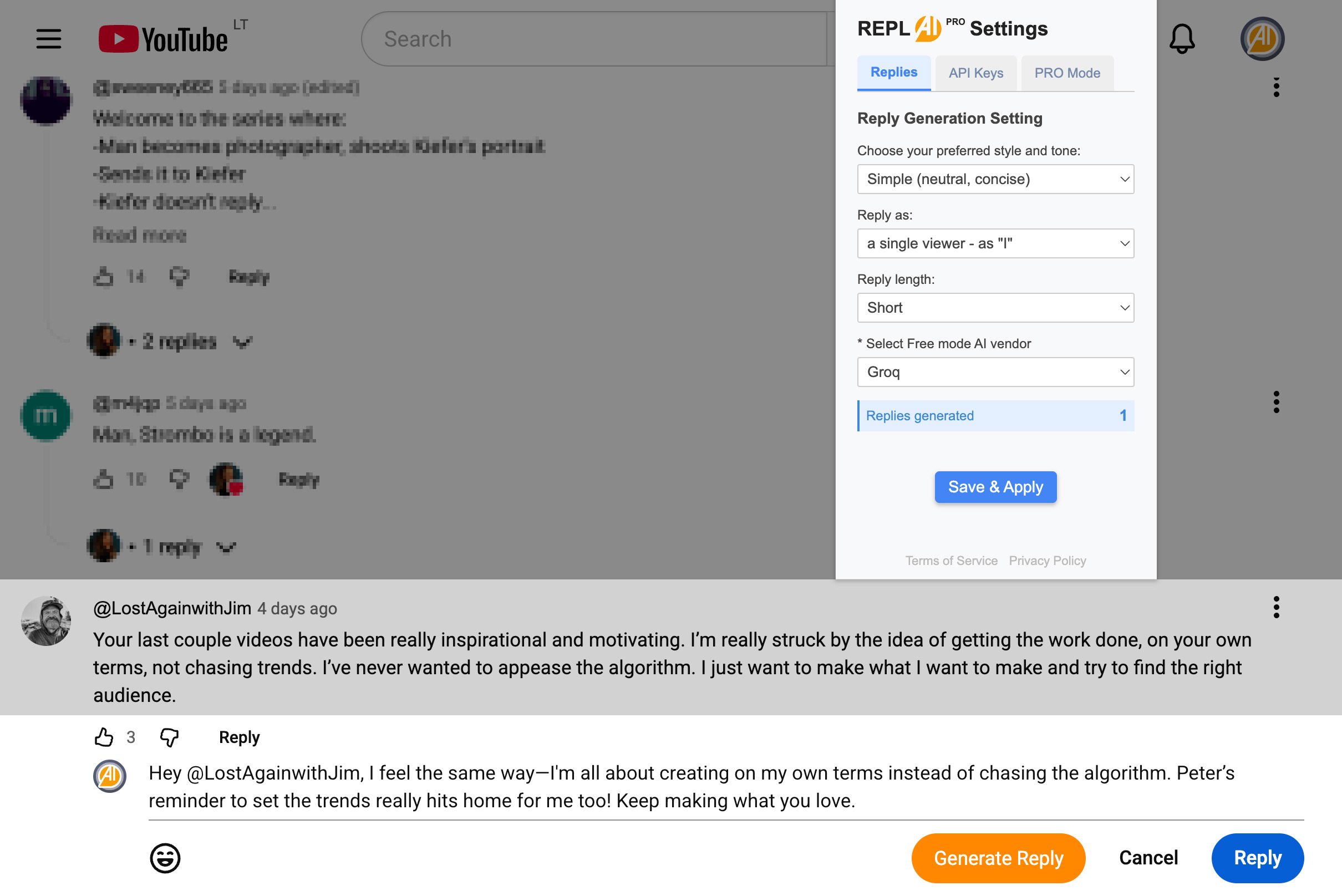
Pick a YouTube channel in a niche you know (fitness, tech, finance, gaming). Open any video, scroll to the comments, and click the "Generate Reply" button next to each comment. You'll see a draft reply appear in seconds. Review it. If it's good, edit it slightly for voice. If not, regenerate. This is the core skill: reviewing, tweaking, and posting. Time yourself managing 20 comments. You'll be surprised how fast you can work.
Step 4: Configure Your Brand Voice Settings
In the extension settings, go to Replies. Set the tone: professional, casual, friendly, enthusiastic. Choose perspective: "I" if writing as the owner, "We" if representing a team. Adjust reply length (short, medium, long). These settings apply to every reply you generate, ensuring consistency.
Step 5: Build a Sample Portfolio
Take screenshots of 10-15 high-quality replies you've generated. Show: original comment, your AI-generated reply, and the tone setting you used. This becomes your proof-of-work when pitching clients. Brands will see concrete examples before hiring you.
Step 6: Create Your Service Listing
Head to Fiverr or Upwork. Create a profile with the title: "I Will Manage and Reply to Your YouTube Comments." Price: $150-$300/month for one channel (up to 50 comments/day), $400-$600 for two channels, $800-$1,200 for three. Include your portfolio screenshots. Set expectations: guaranteed 80%+ reply rate within 24 hours.
Step 7: Land Your First Client
Post your listing and start applying to job posts. Many brands posting for comment management don't realize good help is available on Fiverr/Upwork. You will get inquiries. Your first client might come in a week. Deliver exceptional work, collect a 5-star review, and raise your rates for client #2.
How to Find Clients
Fiverr and Upwork are fastest to set up. Search for "YouTube comment management" to see what competitors charge. You'll notice the field is thin. Price competitively for your first 2-3 clients. Build reviews. Raise rates.
YouTube-specific job boards offer zero-commission alternatives:
- YTJobs.co is built for YouTube creators hiring help. Unlike Fiverr (20% commission), YTJobs takes 0%. You keep every dollar.
- Roster uses AI matching to connect freelancers with creators. Backed by Yes Theory and Chloe Ting, so you know the network is real.
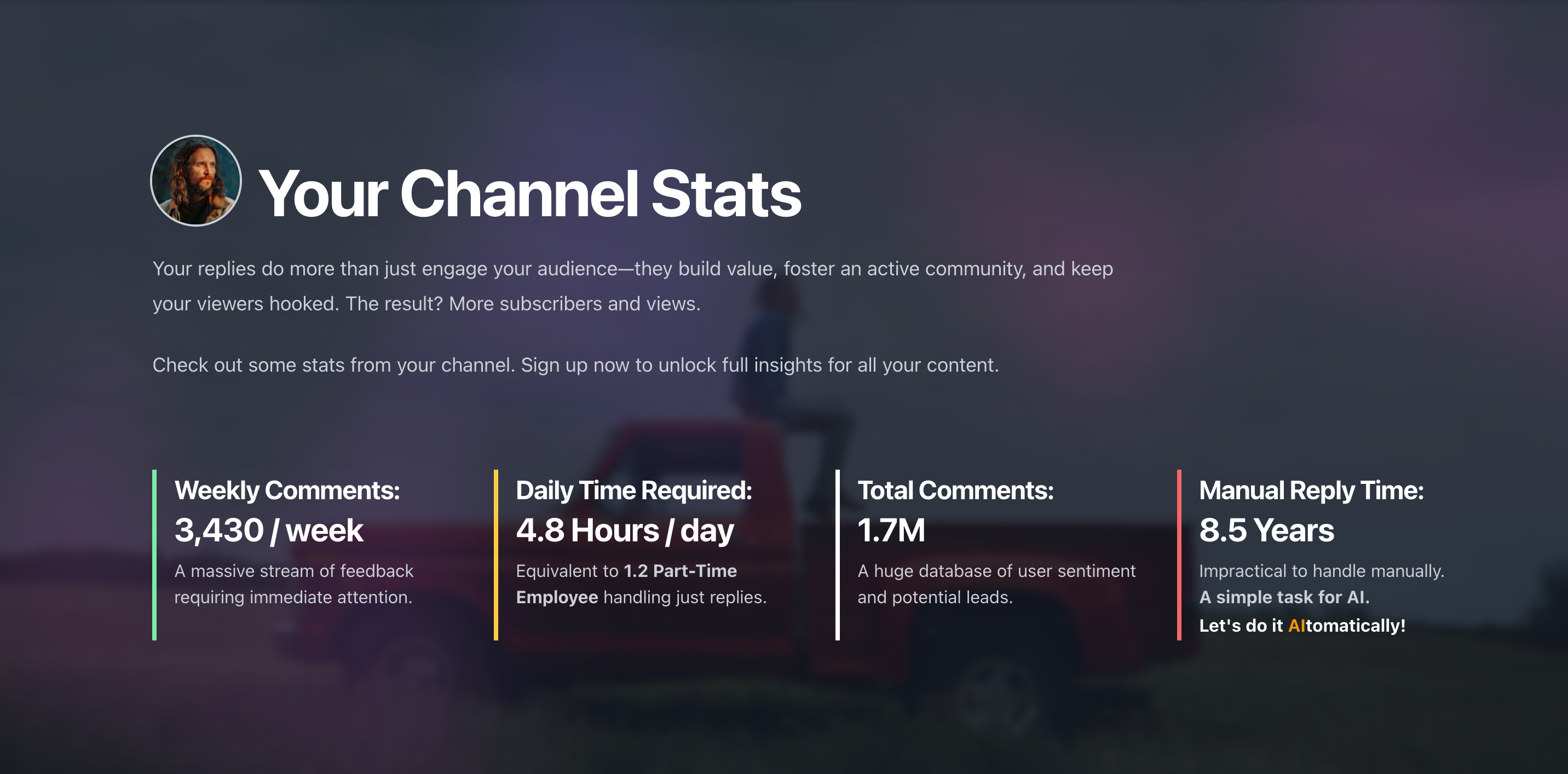
Direct outreach converts at higher rates than any platform. Here's the formula: go to Replai.pro, enter a target channel's @handle (50K-500K subscribers, lots of comments, few replies), and hit "Analyze Channel". You'll get instant stats: total comments, unanswered percentage, weekly volume, manual reply time needed. Plus sample AI-generated replies for their actual comments. Screenshot this data.
Now send a short message: "I analyzed your channel. Your last 5 videos averaged 150+ comments with only a 4% reply rate. I can get that to 80%+ within a week. Here's a free sample of 10 replies I'd write for your latest video." Attach your screenshots. This pitch converts because you're showing real data and real work, not promises. You'll land clients faster than ads.
LinkedIn works for B2B channels. Search "YouTube Manager" or "Content Creator" and connect with marketing teams at SaaS companies and e-commerce brands. Many run YouTube channels but lack dedicated comment management. A 30-second message with your sample replies and rates often lands interviews.
Pro Tips
Tip 1: Specialize in a niche. A support specialist who understands product photography will write better replies on a camera gear channel than a generalist. Pick 2-3 niches where you have real knowledge. Your replies will be more relevant, clients happier, rates higher.
Tip 2: Offer a free trial, not a discount. Manage one video's comments completely free. Let the creator see your work quality. This converts at 3-4x the rate of "50% off your first month." Once they see 30-50 thoughtful replies appear overnight with zero effort on their end, they're sold.
Tip 3: Upsell to the Replai.pro Site dashboard later. After your client sees the value of managed comments, pitch them on the Replai.pro Site. It runs 24/7 on their channel, generating and posting replies autonomously based on their brand voice and knowledge base. You become the approval layer. Less manual work for you, better ROI for them, higher monthly retainer for you.
Start Today
Install the Replai.pro Extension for free (links on the right). Generate your first 10 replies in under 5 minutes. That's all it takes to see if this path is right for you.
Sources
- eDesk — Customer Service Statistics
- Glassdoor — Community Manager Salary
- Indeed — YouTube Support Jobs
- Glassdoor — Customer Support Specialist Salary
- PayScale — Customer Support Specialist Salary
- Comparably — YouTube Community Manager Salary
- Indeed — Moderator Salaries at TaskUs
- LinkedIn — 25 Fastest-Growing Roles
- Bureau of Labor Statistics — Customer Service Representatives
- Sprout Social — Social Media Customer Service Statistics
- Gartner — Customer Churn and Social Response
- Influencer Marketing Hub — YouTube Comments Response Impact
Related Articles

How to Earn $500-$3,000/Month as a YouTube Community Manager
93% of YouTube comments never get a reply. For creators, that's a problem. For you, that's a paycheck. Learn how to earn $500-$3,000/month managing YouTube comments as a freelance community manager, with step-by-step instructions and real salary data.

Earn by Offering Engagement Boost Services
Over 3.45 million YouTube channels with 10K+ subscribers desperately need comment help. Manage one channel for $150-$300/month, three channels for $500-$1,000, or five-plus for $3,000-$5,000 monthly. Creators see 25-40% higher engagement when comments are managed professionally.
 Get Chrome Extension
 Get Firefox Extension